Upload Your Audio
Upload an MP3, WAV, M4A, or OGG audio file from your device to start the AI voice detection process.
Check whether a voice is likely human or AI-generated. Upload an audio clip and let our AI voice detector analyze it for patterns associated with synthetic speech and voice cloning.
or Upload Audio
Supports MP3, WAV, M4A, OGG. Max 20MB.
Upload audio and run a check to see the AI detection result.
Check a suspicious voice recording with Unfox in three simple steps and see whether the audio is more likely human or AI-generated.
Upload an MP3, WAV, M4A, or OGG audio file from your device to start the AI voice detection process.
Unfox analyzes speech patterns and audio signals that may help distinguish AI-generated voices from natural human speech.
See whether the voice is more likely AI-generated or human, along with a probability score that helps you understand the detection result.
An AI voice detector analyzes patterns in recorded speech that may differ between natural human voices and AI-generated audio. Unfox evaluates multiple audio signals together and returns a probability-based result rather than treating detection as absolute proof.
The detector examines characteristics such as pitch variation, rhythm, pauses, spectral patterns, and other acoustic signals that may reveal synthetic speech.
AI voice generators and voice cloning systems can leave subtle patterns in audio. Unfox looks for signals associated with synthetic speech instead of relying on a single characteristic.
The analyzed signals are combined into an easy-to-read assessment showing whether the uploaded voice is more likely AI-generated or human.
AI-generated speech can come from text-to-speech, voice cloning, and other synthetic voice systems. Unfox AI Voice Detector analyzes uploaded audio for patterns that may be associated with popular AI voice generation technologies.
Check suspicious audio that may have been created by cloning or imitating a real person's voice with AI.
Analyze spoken audio that may have been generated from text using modern AI text-to-speech models and services.
Check audio that may come from tools and technologies such as ElevenLabs, OpenAI, Microsoft Azure Speech, Google text-to-speech, PlayHT, and other AI voice generators.
AI-generated voices can appear across calls, messages, videos, and recorded content. Use Unfox to check suspicious audio for signs of AI-generated or synthetic speech.
Check WhatsApp, Messenger, and other voice messages when a recording sounds unusual or you are unsure who really created it.
Analyze recorded calls that may involve AI voice cloning, impersonation, or voice-based scams.
Check voices from TikTok, YouTube, Instagram, and other social media content when you suspect the audio may be AI-generated.
Analyze podcast clips, guest submissions, and third-party recordings before using or sharing questionable audio.
Check interviews, leaked recordings, and submitted audio when the authenticity of a speaker is uncertain.
Review suspicious voice instructions, executive messages, and recorded business calls before acting on sensitive requests.
Analyze audio connected to breaking news, public figures, or viral claims before treating the recording as authentic.
Check voiceovers, narration, and creator audio for signs that the speech may have been generated or cloned with AI.
AI voice detection can help individuals and professionals evaluate suspicious recordings and make more informed decisions about whether a voice may be AI-generated.

Check suspicious calls, voicemails, and voice messages when you are unsure whether the speaker is real or AI-generated.

Review interviews, leaked recordings, and viral audio before using them as sources or publishing them.
Check voiceovers, submitted audio, interviews, and third-party recordings before including them in published content.

Review suspicious executive messages, recorded instructions, and business calls that may involve AI voice impersonation.

Use AI voice detection as an additional signal when reviewing recordings connected to suspected impersonation or fraud.
Check suspicious audio that may imitate or reproduce a voice using AI voice generation or cloning technology.

Evaluate recorded speech for classroom activities, media literacy, assignments, and discussions about AI-generated content.

Review user-submitted audio when synthetic speech, impersonation, or manipulated voice content may require closer examination.
Accuracy & responsible use
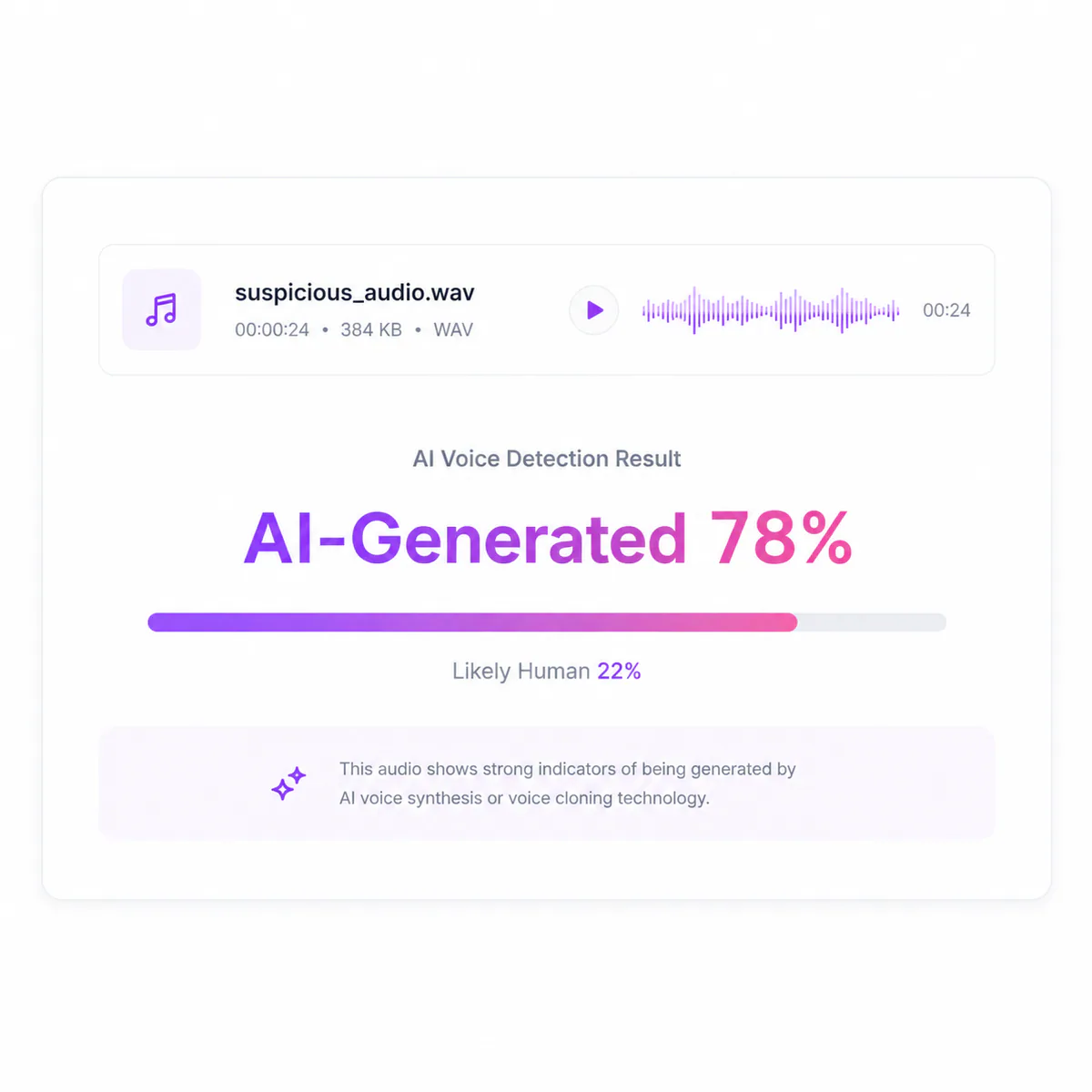
AI voice detection is not a simple true-or-false test. Unfox analyzes patterns associated with synthetic speech and provides a probability-based assessment, so results should be treated as a useful signal rather than absolute proof.
Heavy compression, low recording quality, distortion, or strong background noise can make synthetic voice patterns harder to identify.
Very short recordings may contain fewer speech patterns to analyze. When possible, use a clear clip with enough continuous speech for a more informative assessment.
Pitch changes, speed adjustments, filters, splicing, and repeated re-encoding may alter some of the signals used during AI voice detection.
Voice cloning and text-to-speech technologies continue to improve, which means detection methods must also adapt as new generation techniques emerge.
For important financial, legal, journalistic, or security decisions, combine the AI voice detection result with source verification and other available evidence rather than relying on one score alone.
Audio is uploaded to the Unfox service for AI voice detection. Only submit recordings you have the right to use, avoid unnecessary personal information, and review the Privacy Policy before checking sensitive audio.
Uploaded audio is submitted for analysis of patterns associated with AI-generated or synthetic speech.
Only upload recordings that you own or are permitted to analyze, especially for private conversations.
Remove or avoid unnecessary personal, financial, legal, or confidential information before uploading audio.
Check the current Privacy Policy for details about data processing, retention, and your choices.
AI-generated content goes beyond images. Explore more Unfox tools to check AI-generated voice and text, improve AI-assisted writing, and manage AI model usage.
Analyze text for patterns associated with AI-generated writing and get a clear probability-based detection result.
Check AI TextRefine AI-generated text to make it sound more natural, readable, and better suited to your intended audience.
Humanize AI TextCount tokens, words, and characters in prompts, code, documents, and multilingual text.
Calculate TokensAnalyze images for signals that may indicate AI generation and get an additional layer of insight when reviewing visual content.
Check an ImageUpload MP3, WAV, M4A, or OGG voice recordings for analysis.
Check a single supported audio file up to 20MB.
Review AI-generated, human, and mixed voice signals in the result.
Use the single-file detector or open batch detection for larger review tasks.
Find answers to common questions about AI voice detection, AI-generated speech, voice cloning, supported audio, detection accuracy, and privacy.
Listen for unusual rhythm, overly consistent delivery, unnatural pauses, or other irregularities, but do not rely on your ears alone. An AI voice detector can analyze acoustic and speech patterns and provide an additional signal about whether the audio may be AI-generated.
Accuracy varies depending on the detector, voice generator, language, audio quality, and editing. Research shows that performance can drop substantially on unfamiliar generators or manipulated audio, so detection results should be treated as probability-based evidence rather than absolute proof.
AI voice detectors can analyze audio created with voice generators such as ElevenLabs when the detector has learned relevant synthetic speech patterns. However, performance can vary between model versions, speakers, languages, and audio conditions, so a result should not be interpreted as guaranteed model attribution.
Yes, AI voice detection can be used to look for patterns associated with synthetic or cloned speech. High-quality voice clones can still be difficult to identify, especially when the detector encounters unfamiliar generation methods.
They can sometimes still be detected, but compression, background noise, pitch changes, re-recording, and other edits may remove or alter useful audio signals. Cleaner original recordings generally provide more information for analysis.
Use a recording with several complete spoken phrases when possible. Very short clips provide fewer speech patterns to analyze, which can make the result less informative.
Unfox supports MP3, WAV, M4A, and OGG audio files up to 20MB. Upload a supported voice recording directly to the detector to begin analysis.
AI voice detection can work across multiple languages and accents, but performance may vary depending on how well a language or accent is represented in the detector's training data. Research has found meaningful performance differences across languages and datasets.
Audio is uploaded to the Unfox service for detection. Only submit recordings you are authorized to analyze, avoid unnecessary sensitive information, and review the current Privacy Policy for details about processing, retention, and your choices.
An AI detection score should not be treated as conclusive proof on its own. For legal, financial, journalistic, or other high-stakes decisions, combine the result with source verification, contextual evidence, and professional analysis when appropriate.
Use the AI Voice Detector as one supporting signal, then verify the source and context for important decisions.
No credit card required. Upload and detect in seconds.