
ChatGPT can produce a clean draft in seconds, but clean does not always mean natural. The grammar may be correct and the structure may make sense, yet the writing can still feel too polished, repetitive, or generic.
If you want to make ChatGPT writing sound more human, start before the first draft. Give ChatGPT a clear audience, purpose, and voice, show it examples of how you write, then edit the output for rhythm, specificity, and repetitive AI-style patterns.
There is no single prompt that works for every piece of writing. A better workflow combines good prompting with human judgment.
Why Does ChatGPT Writing Sometimes Sound Robotic?
ChatGPT generates responses based on your instructions, available context, and language patterns learned during training. When your instructions are broad, the model has less information about the voice you actually want.
Consider this prompt.
Write an article about email marketing.
ChatGPT knows the topic, but not much else. It does not know whether the reader is a beginner, marketing manager, or small business owner. It also does not know whether you want a practical tutorial, opinion piece, or technical guide.
The result can fall back on familiar patterns.
Common signs include
Similar sentence lengths and structures
Generic introductions and conclusions
Repetitive or overly formal transitions
Broad claims without concrete examples
Unnecessary explanations of obvious points
Polished language that does not match the writer's normal voice
None of these features proves that AI wrote the text. Human writers use the same language patterns. They become noticeable when several appear repeatedly in the same draft.
How to Make ChatGPT Writing Sound More Human
You do not need to make AI writing deliberately imperfect. Awkward grammar, random slang, and intentional mistakes do not create an authentic voice.
The better approach is to give ChatGPT more useful context and then edit what still feels generic.
1. Tell ChatGPT Who It Is Writing For
Start with the reader, not just the topic.
Basic prompt
Write a blog post about cold email outreach.
Better prompt
Write a practical blog post for freelance consultants who understand cold outreach basics but struggle to write natural first-contact emails. Help them improve clarity and credibility without making the emails sound like sales templates. Keep the language direct and easy to read.
The second prompt gives ChatGPT a reader, a problem, and a goal.
You can apply the same principle to almost any format. Before generating content, define three things
Who will read it
What they already know
What they should understand or do after reading
That gives the model a much narrower writing target.
2. Define the Voice You Actually Want
"Write like a human" is too vague to describe a useful writing style.
One person may want relaxed and humorous writing. Another may want professional copy that simply feels less stiff.
Be more specific.
Keep the tone professional but conversational. Use simple language and natural contractions. Be direct without sounding abrupt. Avoid corporate language and unnecessary enthusiasm. Write like an experienced professional explaining the topic to a colleague.
You can also define what the writing should not resemble.
Do not sound like a press release, academic paper, or sales pitch.
These boundaries are especially useful when you want to humanize ChatGPT output without making it overly casual.
3. Give ChatGPT Samples of Your Writing
If your real goal is to make ChatGPT sound like you, a writing sample can be more useful than a long list of adjectives.
Paste a paragraph from your own blog, email, newsletter, or another piece that reflects the voice you want.
Then tell ChatGPT what to learn from it.
Study the sample below. Match its level of formality, sentence rhythm, vocabulary, and directness. Do not copy individual phrases or sentences. Use it only as a style reference.
This gives the model a concrete example instead of asking it to interpret vague descriptions such as "authentic" or "engaging."
Choose samples that fit the task. Your casual social posts may represent your personality, but they may not be the right reference for a technical report.
4. Remove Repetitive AI-Style Patterns
There is no reliable list of words that automatically makes writing "AI."
The bigger problem is repetition.
During your editing pass, look for
Formal transitions used again and again
Several paragraphs with identical structures
Buzzwords that could be replaced with plain language
Conclusions that repeat what the paragraph already established
Excessive adjectives
Sentences that add length without adding information
You can give ChatGPT a targeted editing instruction such as
Remove filler, repetitive transitions, unnecessary buzzwords, and sentences that restate an earlier point. Keep the meaning and important details unchanged.
Do not automatically ban words such as "important," "enhance," or "explore." They can be perfectly natural in the right context.
Pattern and frequency matter more than individual vocabulary.
5. Vary Sentence Length and Rhythm
A paragraph can be grammatically perfect and still sound mechanical.
One reason is rhythm. If every sentence has a similar length and structure, the reader starts to notice the pattern.
Before
AI can help businesses improve their content creation process. AI can also help businesses increase productivity. AI can help teams generate ideas more efficiently. This makes AI an important tool for modern businesses.
After
AI can speed up content creation. That's the easy part. The harder part is deciding which ideas are worth keeping and turning them into something your audience actually wants to read.
The revised version uses different sentence lengths and removes repeated structures.
Do not vary sentences randomly just to create unpredictability. The rhythm should follow the idea.
6. Add Details That Come From Real Experience
Specificity is one of the strongest ways to make AI writing sound more natural.
ChatGPT can explain a sales call. It does not automatically know what happened during your sales call last Tuesday.
Useful details might include a real observation, product experience, screenshot, customer problem, test result, personal decision, or constraint that affected the outcome.
Compare these examples.
Generic
Personalized emails can improve communication with potential clients.
Specific
When I review outreach emails, the opening sentence is usually where the template becomes obvious. If the same introduction could be sent to 100 companies without changing a word, it probably is not very personal.
The second version feels more grounded because it describes a specific observation.
Do not ask ChatGPT to invent personal experiences, customer stories, research, or statistics to achieve this effect. If a detail is presented as real, it should have a real basis.
7. Edit the Draft Instead of Regenerating It Blindly
When a draft sounds wrong, repeatedly clicking regenerate may change the wording without solving the underlying problem.
Identify what is wrong first.
Instead of
Make this more human.
Try
The information is correct, but the tone is too formal. Shorten the opening, remove repetitive transitions, vary sentence length, and replace abstract claims with direct explanations. Keep the technical meaning unchanged.
For a smaller problem, edit only the affected section.
Rewrite the second paragraph. Keep the first sentence and example, but remove the repeated explanation and reduce the paragraph by about 30 percent.
This gives ChatGPT something concrete to fix.
8. Read the Final Version Out Loud
Reading the final draft aloud is a simple editing test.
Pay attention when you
Lose track of the point
Hear the same rhythm several times
Reach a word you would not normally use
Find two sentences doing the same job
Feel that a paragraph should have ended sooner
Not every blog post should sound exactly like spoken conversation. Technical and professional writing still needs precision.
The goal is simply to find sentences that create unnecessary friction.
A Prompt to Make ChatGPT Sound More Human
There is no universal best prompt for humanizing ChatGPT text, but this template gives you a practical starting point.
You are writing for [audience].
The format is [blog post, email, product description, social post, or other format].
The goal is to [explain, inform, persuade, compare, or other goal].
Use a [professional, conversational, direct, friendly, technical] tone.
Here is a sample of my writing
[PASTE WRITING SAMPLE]
Match the sample's level of formality, sentence rhythm, vocabulary, and directness. Do not copy its phrases.
Keep the writing clear and natural. Vary sentence length when appropriate and use contractions naturally.
Avoid filler, repetitive transitions, generic introductions, exaggerated claims, and repeated conclusions.
Use specific examples where they improve the explanation. Do not invent personal experiences, statistics, research, or factual examples.
After drafting, review the text once and remove anything that sounds unnecessarily formal, repetitive, or generic.
Change the instructions depending on what you are writing. A prompt for a client email should not use exactly the same voice rules as a 2,000-word technical guide.
Before and After, A Complete Example
Suppose you want ChatGPT to write a short introduction about responding to customer feedback.
Your first prompt is
Write a paragraph about why businesses should listen to customer feedback.
ChatGPT might produce something like this.
First draft
In today's competitive business environment, customer feedback plays an important role in helping organizations enhance their products and services. By actively listening to customers, businesses can gain valuable insights, improve customer satisfaction, and foster stronger relationships with their target audience.
The paragraph is readable, but much of it is abstract. Phrases such as "competitive business environment," "valuable insights," and "foster stronger relationships" could appear in thousands of unrelated business articles.
Now give ChatGPT more direction.
Improved prompt
Rewrite this for small SaaS teams. Keep it professional but conversational. Explain the point directly, avoid broad business language, vary sentence length, and use a concrete example of the kind of feedback a software team might receive.
The result could look more like this.
Revised version
Customer feedback shows a SaaS team where the product is creating friction. Maybe users cannot find a setting, keep abandoning the same setup step, or ask support the same question every week. Those patterns give the team something specific to investigate instead of guessing what customers want.
The revised version is not "human" because it adds slang or mistakes.
It works better because the audience is clearer, the language is more direct, the rhythm varies, and abstract claims have been replaced with concrete situations.
That is the broader goal when you make AI writing sound more natural.
Can AI Humanizer Tools Help?
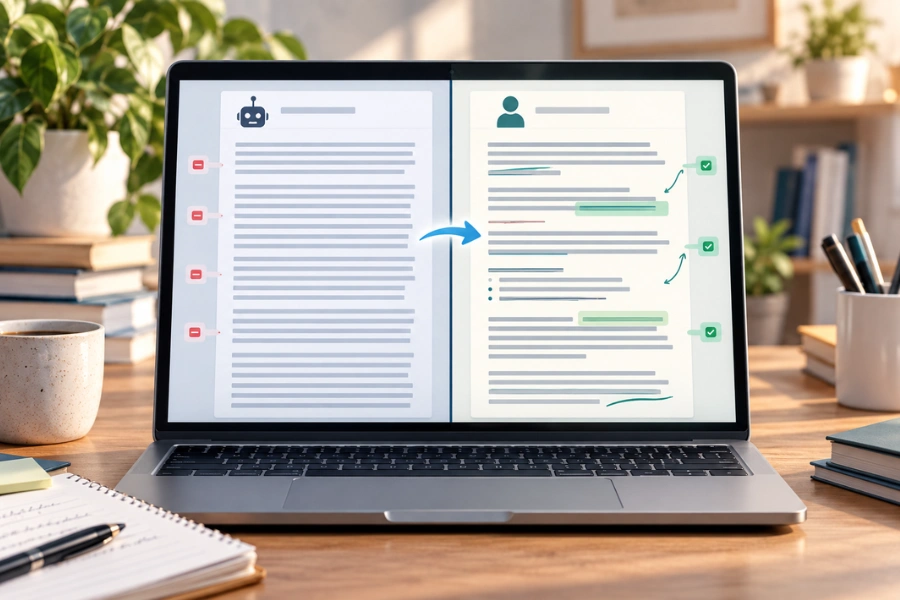
Manual editing gives you the most control, but it can take time when you have many AI-generated drafts to review.
An AI humanizer can provide an additional rewriting pass. Depending on the tool and text, it may help reduce repetitive phrasing, adjust sentence structure, or make stiff passages read more naturally.
A practical workflow is
Create the draft with a detailed prompt
Check the facts, argument, and examples
Fix obvious problems
Use a humanizer if the text still feels mechanical
Review the final version yourself
Unfox AI can fit into this stage when you want a faster way to humanize AI text before your final review.
The tool should support your editing rather than replace it. Check important names, numbers, technical meanings, and factual claims after any automated rewrite.
Does Human-Sounding Writing Pass AI Detectors?
Humanizing writing does not guarantee a particular AI detector result.
Detector results can vary depending on the tool, text length, language, writing style, original model, and amount of editing. Different AI detectors may also classify the same passage differently.
For that reason, a detector score is one useful signal rather than conclusive proof of who wrote a text.
If your goal is better content, focus first on whether the final version is accurate, specific, readable, and appropriate for its audience.
FAQ
How Do I Make ChatGPT Write More Naturally?
Give ChatGPT clear information about the audience, purpose, format, and desired voice. Provide a writing sample when possible, then edit repetitive structures, generic wording, and unnecessary explanations in the first draft.
How Can I Make ChatGPT Sound Like Me?
Provide a few representative samples of your own writing and ask ChatGPT to match characteristics such as formality, sentence rhythm, vocabulary, and directness without copying phrases. Review the result yourself because style matching can vary between tasks and samples.
What Is a Good Prompt to Make ChatGPT Sound Human?
A useful prompt defines the reader, purpose, format, tone, style constraints, and what the model should avoid. Giving ChatGPT a real writing sample can provide more guidance than simply asking it to "sound human."
How Do I Humanize ChatGPT Output?
Start by removing repetitive patterns and generic language. Then improve sentence rhythm and add specific details based on real knowledge or experience. You can edit manually or use a tool such as Unfox AI for an additional rewriting pass.
Can an AI Humanizer Make AI Writing Sound More Natural?
It can help in some cases, especially when the original draft contains repetitive phrasing or stiff sentence structures. Results may vary, so review the rewritten version for accuracy, meaning, and tone.
Does Humanizing ChatGPT Text Make It Undetectable?
No process can guarantee a particular result from every AI detector. Detector classifications can vary, and they should not be treated as definitive proof of authorship.
Final Thoughts
Making ChatGPT writing sound more human is not about adding random imperfections or finding a secret prompt.
Give the model a real audience and a clear voice. Show it how you write when possible. Replace generic language with specific details, edit repetitive patterns, and keep a human involved in the final review.
A useful workflow is simple
Better context → Better draft → Real details → Targeted editing → Human review
If you already have a draft that says the right things but still feels stiff, Unfox AI can also provide an additional humanizing pass before you make the final call.