
DeepAI combines AI image generation, chat, video, music, photo editing, voice chat, and developer APIs in one platform. It is easy to explore and requires little technical knowledge.
This DeepAI review examines how the platform works, its main features, current pricing, limitations, and alternatives. The short answer is that DeepAI suits beginners, casual creators, and lightweight experimentation. Users who need precise editing or consistent professional output may prefer a specialized tool.
DeepAI Review at a Glance
| Category | Summary |
|---|---|
| Best for | Beginners, casual creators, students, and developers |
| Main tools | Images, chat, video, music, editing, and APIs |
| Main strength | Many accessible tools in one platform |
| Main limitation | Quality and control vary between tools |
| Pro price | $9.99 monthly or $89.99 annually |
| Verdict | Good for quick experiments, less suited to demanding production |
What Is DeepAI
DeepAI is a web-based generative AI platform. It can turn text prompts into images, create short videos, generate music, answer questions, and edit existing pictures.
The platform works more like an AI toolbox than a specialist creative workspace. This breadth makes it convenient for users who want to try different content formats without managing several subscriptions.
Some tools are available for free. DeepAI Pro adds higher monthly allowances, private generations, API access, and an ad-free experience.
How to Use DeepAI
The exact options vary by tool, but the general workflow is simple.
Generate an AI Image
- Open the DeepAI Image Generator.
- Describe the image you want.
- Choose a style, shape, and available quality mode.
- Generate the image.
- Check the result before downloading it.
A useful prompt should identify the subject, setting, lighting, and visual style.
A matte black skincare bottle on wet stone, soft morning light, realistic shadows, subtle water droplets, premium product photography, no readable text
Review product shapes, hands, reflections, edges, and text carefully. A convincing image may still contain small inconsistencies.
Create an AI Video
DeepAI supports text-to-video and image-to-video generation. You can describe a scene or upload a still image and add movement.
Simple motion instructions often provide more control.
Add a slow camera push-in and soft moving light while keeping the product shape stable
Complex movement can cause objects to shift or change between frames. Results may vary depending on the prompt, source image, duration, and subject.
Edit a Photo
The AI Photo Editor lets users upload images and describe changes in natural language. It can replace backgrounds, adjust objects, combine images, and apply new styles.
Prompt-based editing works well for rapid experimentation. Precise commercial work still requires careful inspection because the model may change areas you wanted to preserve.
DeepAI Features
AI Image Generator
The Image Generator creates visuals from text prompts. It supports multiple styles along with standard, Genius, and Super Genius 2K options for Pro members.
It may help with blog illustrations, mood boards, social media ideas, and early visual concepts. The output may need editing when a project requires accurate products, readable text, or consistent brand elements.
AI Chat
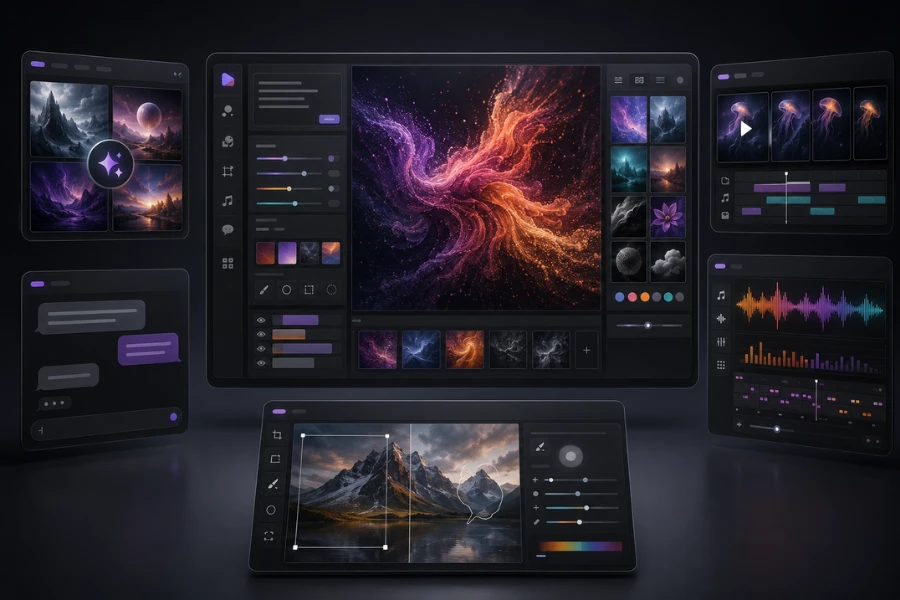
DeepAI Chat supports general questions, brainstorming, drafting, and summarization. It also includes specialized chat experiences for different topics.
The tool can speed up early research and content planning. Important factual or professional information should still be verified independently.
Video, Music, and Voice Tools
The Video Generator supports text-to-video, image-to-video, and reference-based creation in several aspect ratios. It is most practical for short motion concepts and experiments.
DeepAI also generates music, sound effects, and background tracks. Voice Chat provides a spoken way to interact with the platform. These features add convenience, although dedicated audio and video platforms may offer deeper production controls.
Photo Editing and Image Utilities
DeepAI includes prompt-based editing, background removal, colorization, and Super Resolution. These tools can handle basic image changes without a complex editing interface.
They are better suited to quick adjustments than pixel-level work. A layer-based editor may still be necessary for precise design projects.
DeepAI API
Developers can access image generation, editing, upscaling, background removal, and colorization through standard HTTP requests.
API access requires DeepAI Pro. Calls use the relevant monthly allowance or prepaid wallet balance. Current authentication and integration details are available in the official DeepAI documentation .
DeepAI Pricing
DeepAI offers limited free access to selected tools. Its Pro plan currently costs $9.99 per month or $89.99 per year, which averages about $7.49 per month.
The current monthly Pro allowances include:
| Feature | Monthly allowance |
|---|---|
| Standard images | 500 |
| Genius images | 60 |
| Super Genius 2K images | 10 |
| Standard video | 25 seconds |
| 2K Hollywood video | 8 seconds |
| AI music | 100 songs |
| API access | Included within relevant allowances |
Usage beyond these allowances is charged through a prepaid wallet. Extra standard images currently cost one cent each, while additional standard video costs 20 cents per second.
The image allowance provides room for regular experimentation. Video users should watch their usage because testing several short versions can quickly consume the included seconds.
Prices and limits may change. Check the official DeepAI pricing page before subscribing.
DeepAI Pros and Cons
| Pros | Cons |
|---|---|
| Easy to start | Control varies between tools |
| Several AI tools in one place | Some outputs require cleanup |
| Affordable Pro plan | Video allowance is relatively limited |
| Useful image utilities | No advanced layer-based editing |
| Developer API access | Professional consistency may require other tools |
Who Should Use DeepAI
DeepAI may suit:
- Beginners exploring generative AI
- Students and casual creators
- Bloggers developing visual concepts
- Small teams preparing early creative ideas
- Developers building lightweight prototypes
It may be less suitable for professional designers who need precise editing, marketing teams requiring repeatable brand visuals, or video creators producing many polished clips.
The main question is not whether DeepAI can create the content. It is whether the result meets your quality requirements without excessive regeneration or editing.
Best DeepAI Alternatives
| Alternative | Best for | Main difference |
|---|---|---|
| ChatGPT image generation | Conversational creation | Supports iterative visual refinement through chat |
| Midjourney | Artistic visuals | Focuses more heavily on visual style and aesthetics |
| Adobe Firefly | Adobe workflows | Connects more closely with professional Adobe tools |
| Leonardo AI | Image production | Provides a more specialized visual creation workflow |
ChatGPT may fit users who want to discuss and revise an image conversationally. Midjourney is worth considering when visual style is the priority.
Adobe Firefly suits creators already using Photoshop and other Adobe applications. Leonardo AI may work better for users who want an image-focused platform with additional creative controls.
DeepAI remains appealing when accessibility, variety, and affordable experimentation matter more than specialist features.
How Unfox AI Fits into the Workflow
Unfox AI is not a direct DeepAI alternative. DeepAI generates and edits content, while Unfox AI helps evaluate whether an image may contain patterns associated with AI generation.
After creating or receiving an image, you can check it with the Unfox AI Image Detector as part of a broader review process. This can support publishing, content moderation, education, and internal verification workflows.
Detection results are not definitive proof of an image’s origin. Compression, editing, image quality, and the generation model can all influence the result. Different detectors may also produce different assessments.
Is DeepAI Worth It
DeepAI is worth trying if you want an affordable and beginner-friendly platform for images, chat, video, music, and basic editing. Its strongest advantage is the number of tools available in one simple interface.
It works best for quick concepts, casual projects, and lightweight prototypes. Users who need precise editing, stable video, or consistent brand assets should compare its output with more specialized alternatives.
If you want to examine an image created with DeepAI or another generator, Unfox AI can provide an additional detection signal as part of your review.
FAQ
Is DeepAI free
DeepAI provides limited free access to selected tools. Higher allowances, private generations, and API access require DeepAI Pro.
How much does DeepAI Pro cost
The plan currently costs $9.99 per month or $89.99 per year.
Is DeepAI good for professional work
It can support concepts, prototypes, and simple visual tasks. Professional suitability depends on the required consistency, control, and amount of cleanup.
Does DeepAI have an API
Yes. Pro members can access APIs for image generation, editing, upscaling, background removal, and colorization.
What is the best DeepAI alternative
ChatGPT suits conversational creation, Midjourney focuses on artistic visuals, Adobe Firefly fits Adobe workflows, and Leonardo AI provides a more image-centered workspace.