
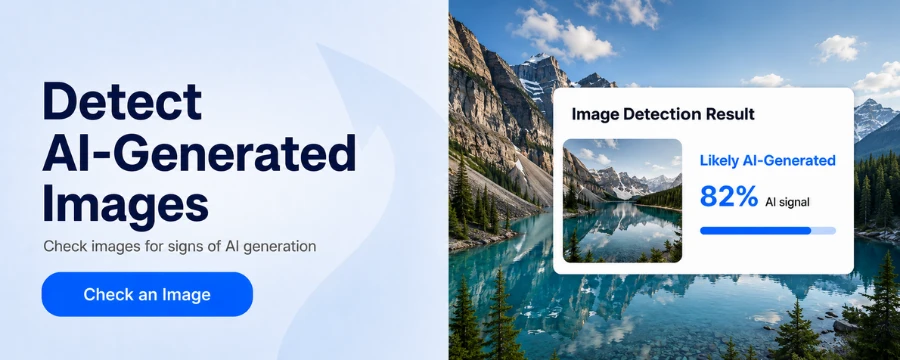
AI-generated images are becoming harder to identify through visual inspection alone. Extra fingers, distorted faces, and unreadable text still appear, but newer image generators can often avoid these familiar mistakes.
A more reliable approach combines several checks. Verify the source, inspect visual details, run a reverse image search, review available metadata, and use an AI image detector as an additional signal.
No single method works in every case. The goal is to collect independent evidence and make a better-informed judgment.
Why AI-Generated Images Are Harder to Detect
Early AI images often contained obvious anatomical and structural errors. Hands had extra fingers, teeth blended together, and background objects changed shape unexpectedly.
Current generators can produce more convincing anatomy, text, lighting, and photographic detail. Editing tools can also repair visible errors before an image is published.
This makes older detection advice less dependable. A hand with five correct fingers does not prove that an image is real, while a distorted hand may result from motion blur, compression, or ordinary editing.
Modern detection focuses on multiple visual, contextual, and technical signals rather than one decisive flaw.
How to Detect AI-Generated Images Step by Step
Step 1 — Check the Source and Context
Start with the story behind the image rather than its pixels.
Look for the earliest available post and identify who published it. Check whether the account regularly shares photography, AI artwork, satire, or unverified content.
Ask a few basic questions.
- Who first published the image
- What event does it claim to show
- Do the time and location make sense
- Are other photos available from different angles
- Have credible sources reported the same event
- Does the original creator label the image as AI-generated
Context can expose a misleading image even when it looks visually convincing. A viral picture may claim to show a celebrity at an event, while verified attendance records and event photography show that the person was not there.
Check environmental details as well. Weather, vegetation, architecture, clothing, and daylight should match the claimed date and location.
A context mismatch does not necessarily mean the picture was generated by AI. It could be a real photo shared with a false caption, which is a different form of misinformation.
Step 2 — Inspect the Full-Size Image
Open the highest-quality version available. Social media thumbnails and screenshots can hide details or introduce compression artifacts.
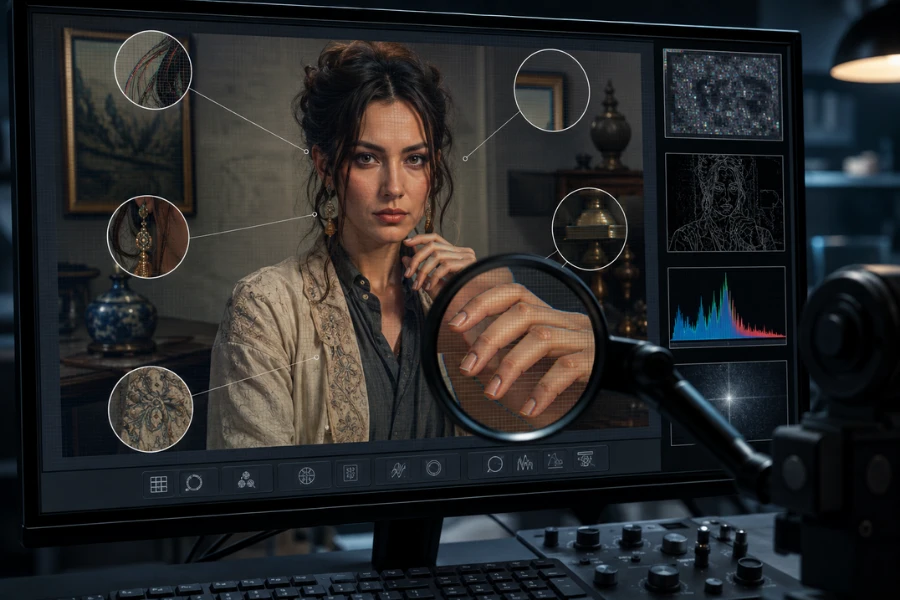
Inspect people, objects, backgrounds, text, and connections between different elements. Useful warning signs may include:
- Fingers or limbs that merge into nearby objects
- Glasses, jewelry, or straps that do not connect correctly
- Hair that blends into skin or clothing
- Inconsistent eyes, earrings, or facial features
- Background people with repeated faces or incomplete bodies
- Signs and logos with changing letter shapes
- Repeated windows, bricks, branches, or fabric patterns
- Objects that disappear without a clear reason
One unusual detail is rarely enough to reach a conclusion. Low resolution, motion blur, beauty filters, and image compression can produce similar problems in genuine photographs.
It is also important not to focus only on hands. Modern AI systems often generate realistic fingers, while less obvious errors may remain in accessories, background objects, or physical relationships.
Step 3 — Examine Lighting and Physical Consistency
An AI-generated image may look realistic overall while containing relationships that would be difficult to capture with a camera.
Identify the main light source and compare nearby shadows. In a scene primarily lit by sunlight, objects should generally cast shadows that respond consistently to the same source.
Inspect mirrors, windows, water, and polished surfaces. Reflections should match the visible people and objects in position, shape, clothing, and orientation.
Perspective can provide another clue. Parallel lines on the same building should usually converge toward compatible vanishing points. Window rows, rooflines, floors, and railway tracks that follow conflicting directions may suggest structural inconsistency.
Also check whether people and objects interact naturally with the environment. Feet should meet the ground, hands should grip objects convincingly, and clothing should follow the body rather than merge into it.
Multiple inconsistencies are more meaningful than one strange shadow, especially in scenes with several artificial light sources.
Step 4 — Run a Reverse Image Search
Reverse image search can help you trace where a picture came from and how it has been used.
Google Lens, Bing Visual Search, and similar services may locate matching or visually related images. Search the complete picture, then try cropped sections containing distinctive faces, landmarks, or objects.
Look for:
- The earliest indexed version
- A higher-resolution original
- An uncropped or unedited version
- An older photograph used with a new claim
- A source that identifies the generation tool
- Fact-checking coverage
- Verified images from the same event
The number of results is not a reliable test by itself. A genuine new photo may have no matches, while a widely shared AI image may appear on thousands of pages.
Reverse search is most useful for tracing provenance, not counting appearances.
Step 5 — Review Metadata and Provenance
Image files may contain metadata about the camera, software, date, location, or editing history.
If you have the original file, review its EXIF information. A named AI generator or editing tool may provide useful evidence, while plausible camera information may support a photographic origin.
Some files also include Content Credentials or other provenance records. When preserved, these records can document how an image was created or edited.
Metadata has important limitations. Social platforms, messaging apps, screenshots, and editing programs often remove file information. Metadata can also be modified.
Missing metadata does not prove that a picture is AI-generated. Camera information does not guarantee that every visible part of an image is authentic either.
Step 6 — Use an AI Image Detector
AI image detectors analyze patterns that may be difficult to notice manually. Depending on the system, they may evaluate image structure, textures, pixel relationships, noise, and signals associated with known generation models.
A typical check involves four steps.
- Save the highest-quality version available
- Upload it to an AI image detector
- Review the classification or probability result
- Compare the result with your other evidence
Unfox AI can provide an additional detection signal when you want to check a suspicious picture. The result should be considered alongside the image’s source, visual details, metadata, and surrounding context.
Detector performance can depend on the generation model, image resolution, compression, cropping, filters, screenshots, and manual editing. Different tools may also produce different results.
A detector score is useful supporting information, not conclusive proof of how an image was created.
Step 7 — Combine the Evidence
Each method answers a different question.
Visual inspection looks for inconsistencies. Source verification examines the story behind the image. Reverse search traces earlier versions, while metadata and detection tools provide technical signals.
| Finding | What it may suggest | Evidential value |
|---|---|---|
| One distorted finger | AI generation, blur, or compression | Weak |
| Several merged background objects | Possible synthetic construction | Moderate |
| Conflicting shadows and reflections | Possible physical inconsistency | Moderate |
| Original creator labels the image as AI | Documented synthetic origin | Strong |
| Intact metadata names a generator | Useful technical evidence | Strong |
| One detector flags the image | Additional probabilistic signal | Variable |
| Several independent checks agree | Greater reason for concern | Stronger overall |
Avoid turning several weak clues into certainty. If the conclusion could affect someone’s education, employment, reputation, finances, or legal position, preserve the original file and seek stronger verification.
How AI Image Detectors Work
An AI image detector does not inspect a picture exactly as a person does.
Some vision models divide the image into smaller patches. A Vision Transformer can convert these patches into numerical representations and analyze relationships between different image regions.
Other multimodal models connect visual information with language and semantic concepts. This can help a system recognize objects, scenes, and unusual relationships, although semantic understanding alone cannot prove that an image is synthetic.
Detection models may also learn statistical patterns associated with AI-generated and camera-captured images. They identify similarities to examples seen during training rather than reading the complete creation history of the uploaded file.
This is why results may vary when an image has been cropped, compressed, edited, or generated by an unfamiliar model.
Common AI Image Clues and Their Limits
Popular visual clues can still guide an investigation, but they should not be treated as universal rules.
| Common clue | Why it is not conclusive |
|---|---|
| Extra or distorted fingers | New models often render hands correctly, while real photos can contain blur |
| Garbled text | Current generators have improved text rendering |
| Smooth skin | Beauty filters and editing can create the same appearance |
| Perfect composition | Studio and advertising photography may look highly polished |
| Missing metadata | Online platforms regularly remove file information |
| No reverse search results | Genuine new images may not yet be indexed |
| Unusual shadows | A scene may contain several light sources |
| Detector disagreement | Tools use different models, data, and thresholds |
These details tell you where to investigate. They do not determine the final answer by themselves.
Choosing the Right Level of Verification
The amount of verification should reflect the consequences of being wrong.
Casual social media content
Check the original account, inspect the full-size image, and run a reverse image search before sharing it.
School or workplace decisions
Add metadata review, compare independent sources, and use an AI detector as another signal. Give the person involved an opportunity to provide the original file or explain its origin.
News, legal, or other high-stakes claims
Preserve the original file and document its source. Trace the complete publication history, look for independent evidence of the depicted event, and consider professional digital forensic analysis.
A public AI image detector should not replace expert investigation when the consequences are serious.
Final Thoughts
The best way to detect AI-generated images is to combine visual inspection with source verification, reverse image search, metadata review, and technical analysis.
Do not rely only on unusual hands, smooth skin, incorrect text, or one detector score. Stronger judgments come from several independent signals pointing in the same direction.
If you want another perspective on a suspicious image, Unfox AI can provide a detection result to compare with your other findings. The final decision should still consider the source, context, and consequences of getting that decision wrong.
FAQ
Can AI-generated pictures be detected
AI-generated pictures may contain visual, contextual, or technical signals that support detection. High-quality generation and post-processing can remove obvious clues, so the result is not always definitive.
How can I check whether a picture is AI-generated
Check the original source, inspect the image at full size, examine lighting and reflections, run a reverse image search, review available metadata, and use an AI detector as an additional signal.
Can metadata prove that an image was created by AI
Metadata that clearly identifies a generation tool can provide strong supporting evidence when the record is intact. Missing metadata does not prove AI generation because many websites and apps remove it.
Are AI image detectors accurate
Results can depend on the detector, generation model, resolution, compression, cropping, and editing. Different tools may produce different results for the same image.
Can a real photo be classified as AI-generated
False positives can occur. Heavy editing, unusual lighting, artificial textures, and compression may cause a genuine photograph to resemble patterns associated with AI-generated content.